05 / Website & publishing
Connecting website content, social posts, and publishing destinations
How do you keep a campaign consistent from social post to mobile website?
Published by Mobilify It, built by UpCode Studios—the team also behind The Social Scheduler (SALT Social Media). This is a first-party product showcase, not an independent review. Workflow examples are illustrative; no customer results are claimed.
Social content and a responsive website should support the same promise. A visitor who clicks a post needs to find the relevant offer, understand it, and complete the next step on a phone. The Social Scheduler brings several content types into a shared workflow, while Mobilify It focuses on the website experience that follows the click.
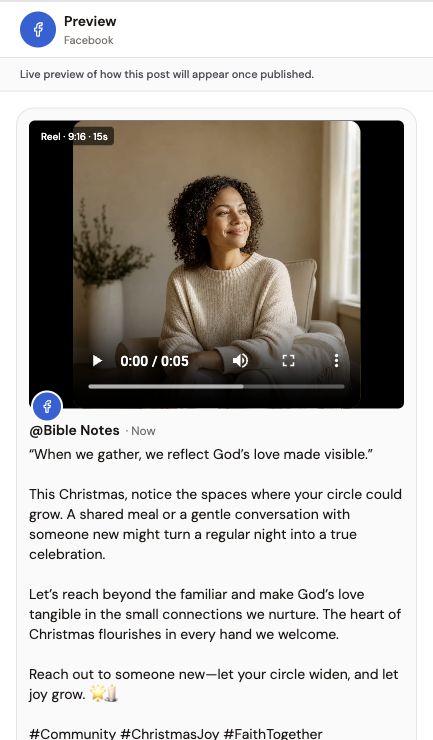
The starting problem: different channels tell different stories
In an illustrative launch campaign, an article explains a service, an email announces it, and social posts introduce it from several angles. If each item is prepared in isolation, the offer, dates, and links can drift. A shared brief helps keep the facts consistent without making every message identical.
Begin with an authoritative destination page. Confirm that its offer and contact details are current, then adapt the message for each channel. The website is the source of context, not automatic evidence that every generated statement is accurate.
The destinations described by the product
The Social Scheduler’s public FAQ lists supported connections for Facebook, Instagram, LinkedIn, and X; blog publishing through WordPress, Shopify, or Wix; and Mailchimp for email campaigns. It explicitly notes that formats and publishing options depend on the platform and account permissions.
Before committing to a campaign, read the integration page for the exact destination you use. Confirm supported operations, required account access, and whether the intended content type can be published. A logo on a website is not enough to establish a specific integration workflow.
Adapt one idea into useful channel-specific drafts
Use the blog draft to explain the question thoroughly. Prepare social drafts that introduce one useful point and direct interested readers to the article or service page. An email can add context for existing subscribers, subject to the consent and sending requirements of the email service.
Review titles, images, factual statements, and links separately in each draft. Preserve the central offer but adapt the length and presentation to the destination. Avoid repeating the full article inside every caption simply because all the content came from one brief.
Check the handoff on a real phone
Follow the intended link and inspect the destination. Is the headline consistent with the post? Does the content fit the screen without sideways scrolling? Can a visitor use the form or booking control without zooming? Those checks belong to the website, not the scheduling tool.
Mobilify It’s free mobile-friendly test can provide an initial diagnostic using public-page signals and available Lighthouse scores. It does not edit the website, validate a publishing integration, or guarantee a search ranking. Combine it with manual checks of the visitor’s actual task.
Measure publication and enquiries as different outcomes
A delivered post or article shows that content reached a destination. It does not prove that the campaign generated qualified enquiries. For a real evaluation, use campaign links and appropriate analytics to distinguish published items, website visits, completed forms, and booked conversations.
Keep customer data and consent requirements in mind when measuring results. This showcase describes a verifiable product and a suggested workflow; it does not assert traffic growth, time savings, completed bookings, or improved domain authority from using the tool.
Before you put this workflow into use
- Read the relevant integration’s current requirements.
- Keep offers and facts consistent across drafts.
- Test the linked page and form on a phone.
- Measure completed enquiries separately from publication.
Product sources and disclosure
This first-party walkthrough was prepared from the product’s public documentation and project screenshots, reviewed November 14, 2026. Example scenarios are illustrative, not reported customer outcomes. Consult current documentation for availability and limits.
The Social Scheduler’s publishing integrations