
01 / Content creation
From a business idea to reviewable AI content
How do you get useful AI content instead of a generic caption?
Published by Mobilify It, built by UpCode Studios—the team also behind The Social Scheduler (SALT Social Media). This is a first-party product showcase, not an independent review. Workflow examples are illustrative; no customer results are claimed.
A small business rarely struggles because it has nothing to say. More often, its useful knowledge is scattered across its website, notes, services, and conversations. The Social Scheduler provides a starting point for turning that material into editable content. This workflow study explains the decisions that still belong to the business owner.
The starting problem: context lives in too many places
Consider an illustrative service business preparing a seasonal campaign. Its website explains the service, but the audience, offer, and practical details still need to be assembled. Asking an AI tool to ‘write some posts’ without that context leaves it guessing about the business.
The useful first step is a focused brief: who the message is for, what is being offered, what action a reader should take, and which facts must remain accurate. This is an example workflow, not a customer success story or a measured performance result.
What the product brings into the workflow
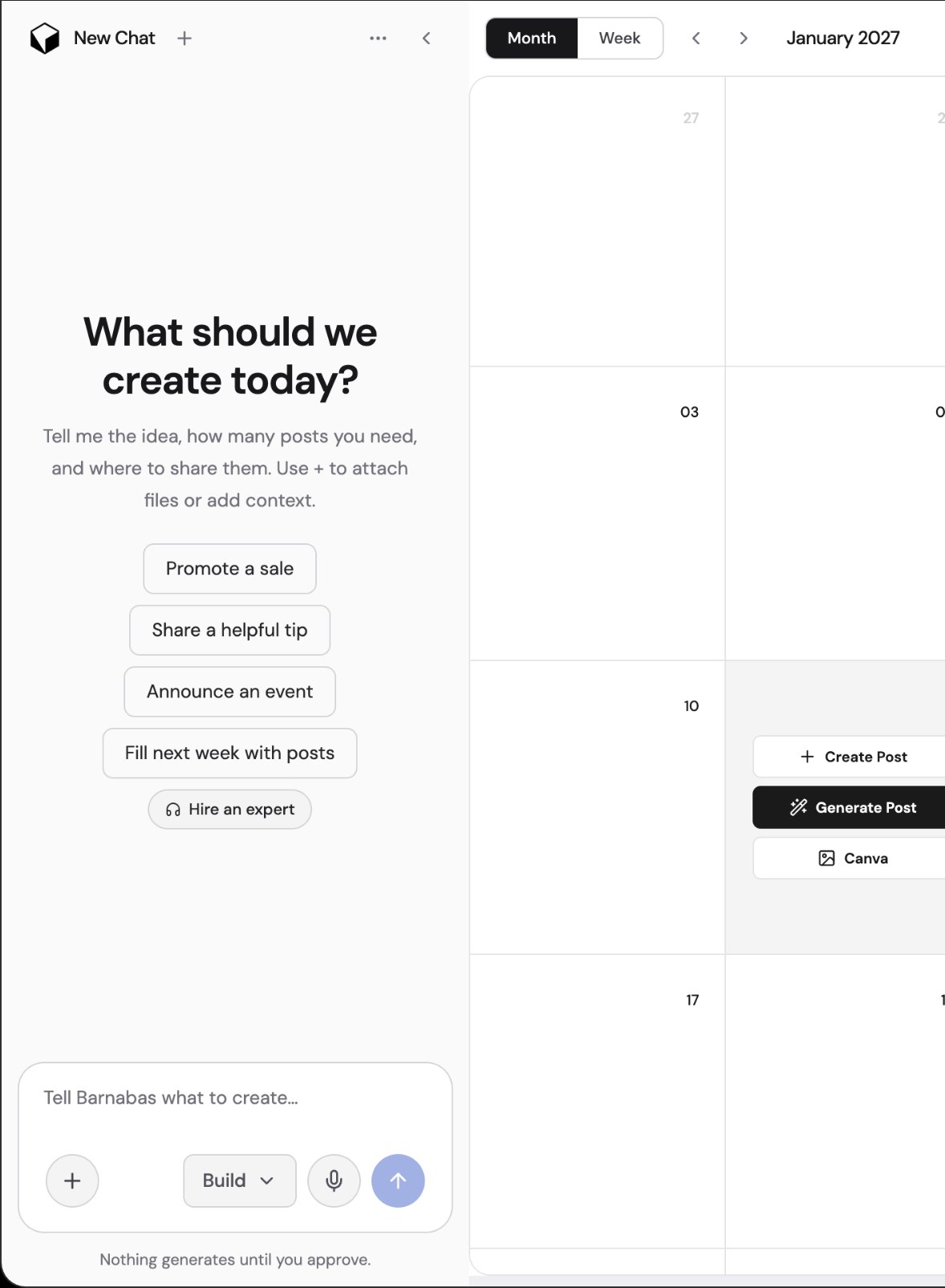
The Social Scheduler’s public documentation says users can start with a website URL or describe what they want to create. Business context, audience, brand voice, and visual direction can guide generation. The product supports drafts for social posts, images, reels, blog articles, and email content.
A URL is a starting source, not a substitute for judgment. Check whether the page contains current prices, service areas, availability, or outdated offers before relying on it. Supply missing details deliberately rather than expecting the tool to discover private business knowledge.
A practical brief-to-draft sequence
Begin with one campaign objective and a destination page. Add the audience, a plain-language explanation of the offer, the brand’s tone, and any phrases or claims to avoid. Request drafts with distinct angles rather than several nearly identical captions.
Review the generated copy alongside its media. Replace unsupported statements, remove repetition, and make the next step specific. A draft explaining a service should direct people to the relevant service page, not automatically send every reader to the homepage.
Where human approval matters
Generating content does not publish it. Editing, choosing the destination, and scheduling remain separate decisions. If an automated publishing workflow is enabled later, it can publish according to those settings; that makes the initial review and automation configuration especially important.
AI can help structure a message, but it does not establish that a claim is true or that an image is licensed. Check factual accuracy, consent, links, and visual suitability before the draft becomes a scheduled post.
The connection to a mobile-friendly website
A well-written social post can still lead to a difficult mobile experience. Open the destination on a phone and confirm that the promised offer is visible, the text is readable, and the enquiry or booking action works. Content creation and responsive website design solve different parts of the same visitor journey.
To evaluate the workflow, record review time, the number of factual corrections, and whether the finished draft matches the intended audience. Those are suggested measurements to collect, not improvements already demonstrated by this showcase.
Before you put this workflow into use
- Provide current business facts and a clear audience.
- Review every claim, image, and destination link.
- Keep drafting separate from permission to publish.
- Check the destination page on a phone.
Product sources and disclosure
This first-party walkthrough was prepared from the product’s public documentation and project screenshots, reviewed November 14, 2026. Example scenarios are illustrative, not reported customer outcomes. Consult current documentation for availability and limits.
The Social Scheduler’s content creation FAQ